How Do In-ear Monitors Work?
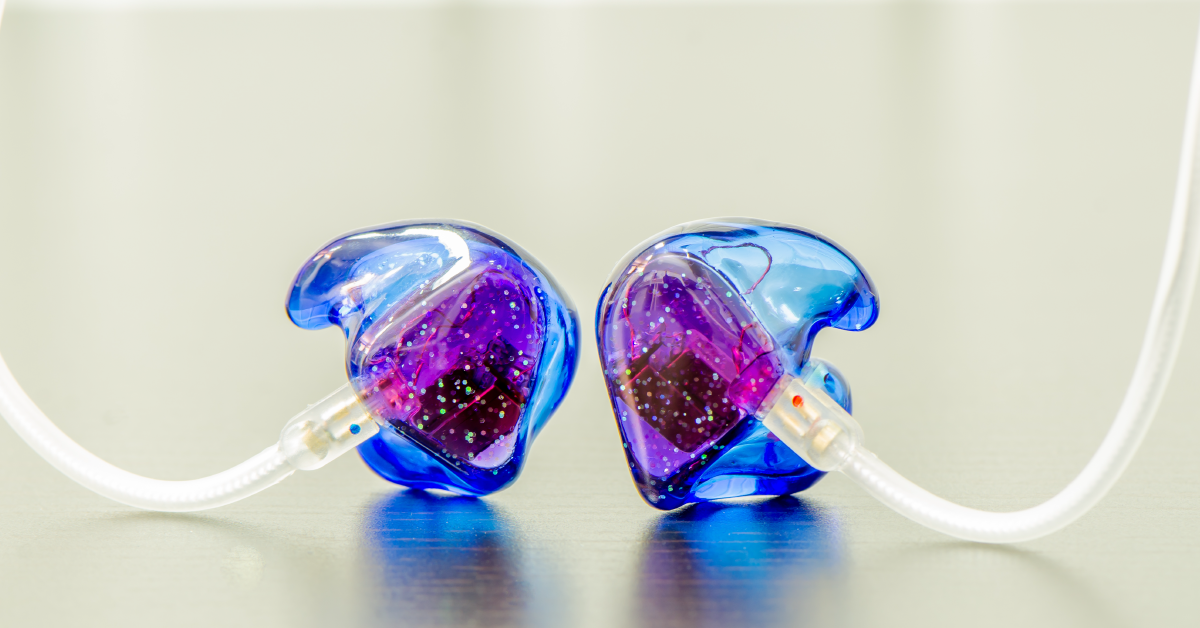
In-ear monitors, or IEMs for short, allow you to do away with stage monitors by using earbuds to monitor what’s happening on stage. In this guide, we will explore how In-ear monitors work, when to use them, and the advantages and disadvantages.
What are in-ear monitors?
Before we dive into it, you need to learn about what in-ear monitors are and how they work. The main advantage of using them is that stage volume is reduced (since stage monitors aren’t required anymore) and the performer can have a clean representation of what’s happening on stage regardless of his or her position. However, because in-ear monitors often have sound-isolating technology, the performer will have to rely almost 100% on what he or she hears through the earphones. This can take some getting used to because you’ll no longer hear the sound coming from the room and how the crowd is reacting as clearly, but you can easily solve this with room mics or by removing one earbud.
In-ear monitors can be wireless or wired. It is most common to find them in a wireless format due to the ability to be mobile. In this format, they work oppositely compared to a wireless microphone system. From your mixer, you would take the same feed you would send to your stage monitors and plug it into the wireless monitor transmitter. The transmitter will then send the feed to your wireless receiver belt pack that your headphones are plugged into.
What’s inside in-ears
In-ear monitors are a lot like headphones but with a few key differences. Headphones usually have one central speaker driver for each ear. In-ear monitors typically have three or more drivers. Since they’re inserted in your ear rather than sit on the outside, the drivers must be smaller and configured in a way to accurately reproduce low frequencies.
Unlike a typical monitor speaker, IEMs require multiple small drivers to produce their sound. Consumer models have three to five drivers (small speakers). Professional models can even have up to eight per earbud.
The other difference is the cable. Most in-ear monitors have separate connections on both earphones. Headphones often have one cable connection on the left side or no removable cable connections at all.
How to use in-ear monitors
In-ear monitors are useful tools and have a variety of applications. Nick D’Virgillio walks you through how to use in-ear monitors in the Live Monitoring 101 video below.
Wireless or with a personal mixer
When in-ear monitors are connected to a wireless receiver pack on the performer, the pack receives a mix from the transmitter, which is connected to a mixer. The mix can be set by either the monitoring engineer or, in some cases, the performer. Wireless in-ears are most common in live performances where the performer needs the freedom to move. Personal mixers have become more and more available at affordable prices. Each personal mixer receives direct channels so that the performer can create a mix for themselves. Behringer’s P16 system is a popular personal monitoring system that can send up to 16 channels of audio to a P16 personal mixer. This type of system is extremely practical for fixed sound systems, like those at a house of worship.
Studio reference earphones
Another common use for in-ear monitors is as reference earphones. That means you’ll use them as another reference source for a mix. This is useful as earphones are very direct and isolate external sounds. Consider using earphones in addition to open, semi-open, or closed-back headphones.
General purpose earbuds
In-ear monitors can also be used for mixing and general purpose listening. Shure’s Bluetooth adapter and SE215 monitors are great for adding music to physical fitness.
Live Monitoring 101: How to Use In-ear Monitors
In-ear monitor pros and cons
With wedge monitors and amps, stage volume can quickly get dangerously loud. If you get rid of the wedges and switch to in ears, you can almost eliminate all sound on stage, sometimes referred to as a silent stage. IEM’s block out noise, enabling you to only hear what’s being sent to your in-ears. Most IEMs come with a variety of different sized tips that fit just about everybody but another option is to order custom molds that are a perfect fit for your ears. Custom molds provide a much better seal which helps to block outside sounds, protect your ears, and a tighter more defined bass response.
Pros
- Fewer stage monitors
- Lower stage volume
- Performance mobility
- Personalized monitor mixes
Cons
- Requires earphones
- More wireless considerations
- Not necessary for every venue
Related Articles
When you need help, Sweetwater has the answers!
Our knowledge base contains over 28,000 expertly written tech articles that will give you answers and help you get the most out of your gear. Our pro musicians and gear experts update content daily to keep you informed and on your way. Best of all, it’s totally FREE, and it’s just another reason that you get more at Sweetwater.com.